.png&w=640&q=75)

Overview
LangChain provides multiple portal options for customers to submit and track support tickets. This guide covers how to access and use these portals to get the help you need.
Portal Access Options:
1. Premium Customer Support Portal
Portal Link: https://premium.langchain.com/
Access: Restricted to Premium Customers of LangChain
How to Submit a Support Ticket
Reach out to your Enterprise LangChain Admin or LangChain Support to enable you in Premium Portal.
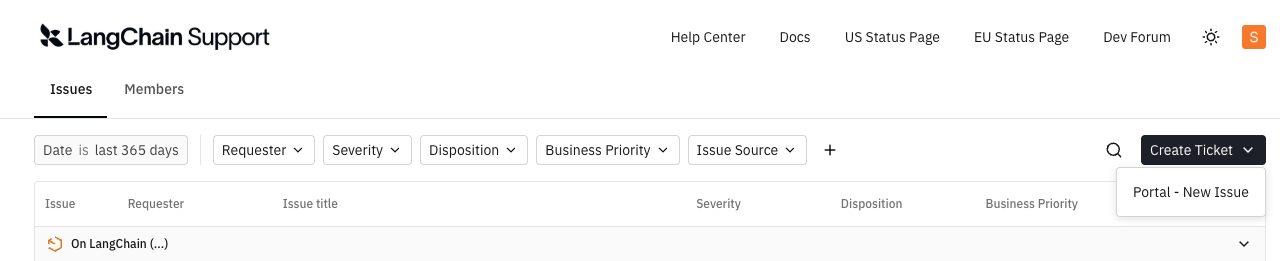
Once you login, click on the "Create Ticket" on the top right corner of the page and click "Portal-New Issue"
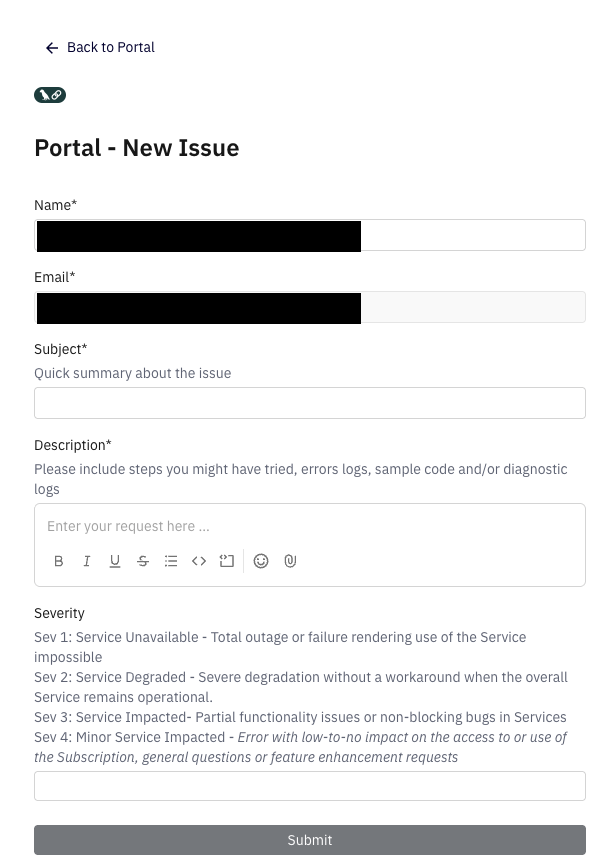
Enter the details in the form, pick the right Severity and click "Submit"
2. Customer Support Portal(Non Premium Customers)
Portal Link: https://support.langchain.com/
This is the primary support portal for accessing resources, submit support cases and feature requests for all our customers.
How to Submit a Support Ticket
Create a login if you do not have one already.
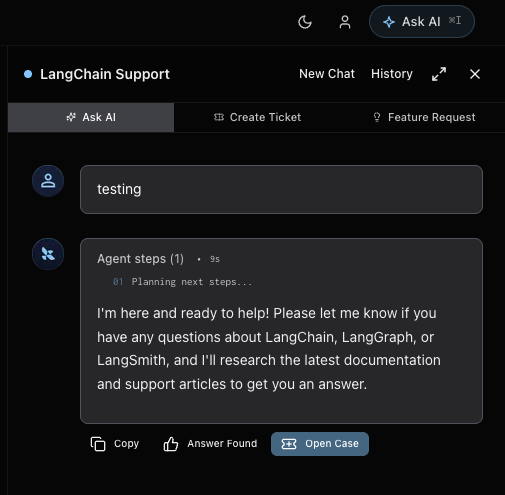
Use the “Ask AI” feature for quick answers to your technical issue/questions. If your question is not resolved, you can open a support ticket directly from there by clicking on "Open Case".
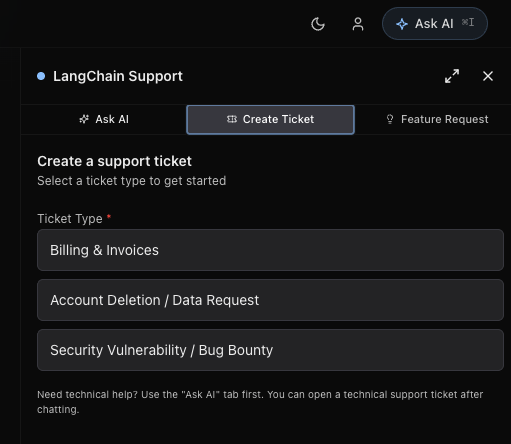
For issues related to Billing, Account deletion, Security vulnerability, you can open a ticket by directly clicking on "Create Ticket"
Feature requests can be logged by clicking on "Feature request"
Additional Support Channels
In addition to portal access, LangChain offers support through:
In-App Support
Slack/Teams Channels (for Enterprise customers)